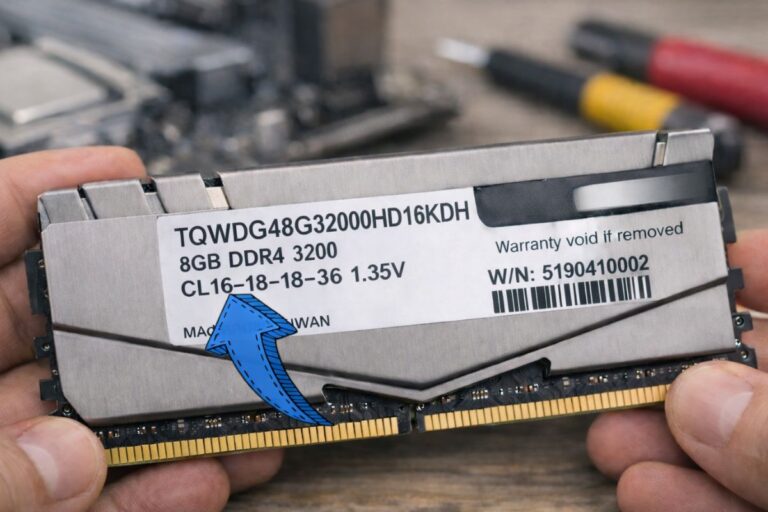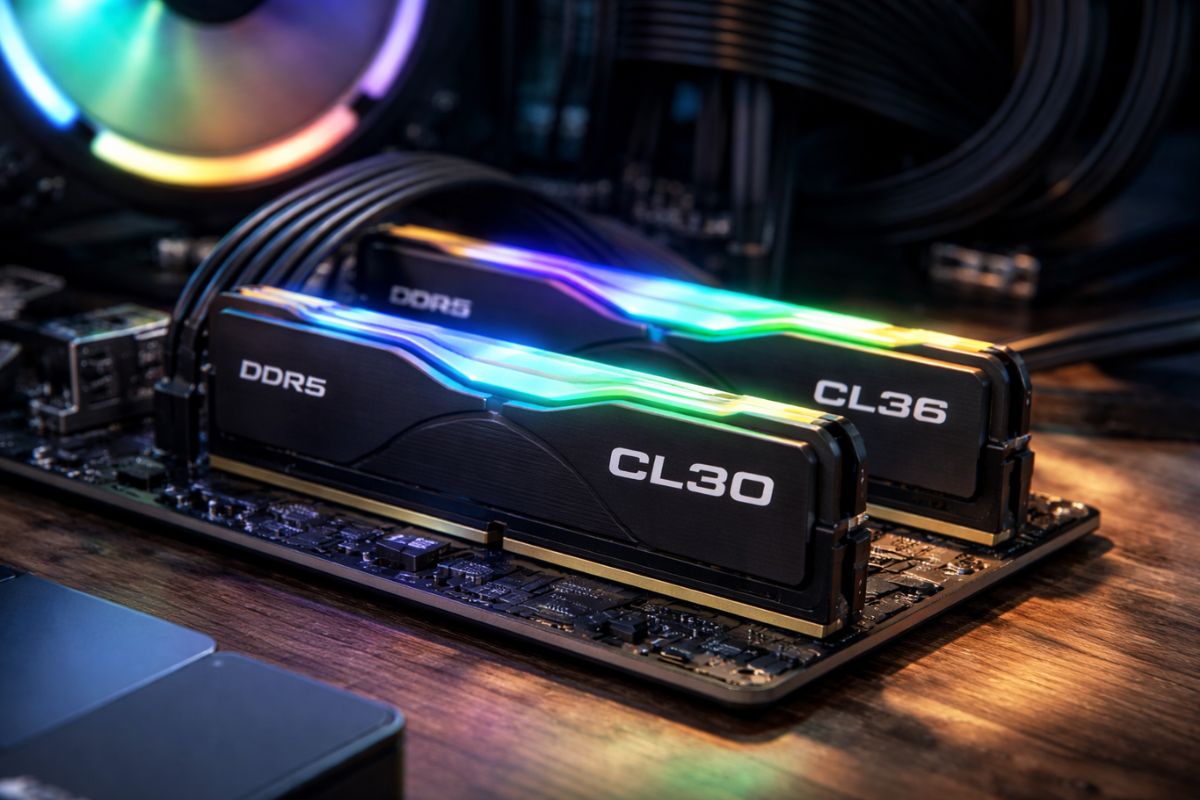
Last week, I was in a small cafe in Shoreditch, helping a mate spec out parts for a new computer. He stared at me, completely baffled, and gestured to a picture on the screen of two RAM sticks. One was £280, the other £380. They both said “6000 MT/s”. The only difference? A tiny number next to the letters CL.
“Is this ‘CL30’ thing really worth an extra hundred quid?” he asked, sounding like I’d just told him he needed to pay for premium air.
I took a sip of my flat white and told him the truth: in the current “RAMageddon” of 2026, those two letters are the difference between a PC that snaps to attention and one that feels like it’s wading through treacle. But look, if you’re confused, you’re in good company. Even the pros are sweating over these numbers right now because the game has completely changed.
What Is CAS Latency?
Right, let’s strip away the jargon. Imagine you’re at a busy pub. You catch the barman’s eye and order a pint.
- Frequency (MT/s) is how fast the barman can pour the drinks once he starts.
- CAS Latency (CL) is the time he spends looking for a clean glass before he even pulls the tap.
Specifically, what is CAS latency? It stands for Column Address Strobe. It’s essentially the number of clock cycles it takes for your RAM to respond to a request from the CPU. If your CPU says, “Oi, I need that spreadsheet data,” the CAS Latency is the “waiting room” time before the first bit of data actually leaves the memory stick.
In 2026, we’re seeing kits with CL30, CL36, and even CL40. Logic suggests lower is better, right? Fewer cycles mean less waiting. But here’s the kicker: as we’ve moved into the era of DDR5 and the looming DDR6, those numbers have got bigger, not smaller. If you used to have CL16 on your old DDR4 rig, seeing CL40 today feels like a massive step backward.
The reality? It’s not. Because the clock cycles are happening so much faster now, 40 cycles in 2026 can actually be shorter in real-world time than 16 cycles were five years ago.
ALSO READ: Why Your PC Memory Feels Sluggish: RAM Timings Explained for the Everyday User
The 2026 “Ramageddon” And Why It Matters Now

If you’ve checked prices at Overclockers UK or Scan lately, you’ve probably noticed that RAM prices have gone absolutely mental. As of February 2026, we’re in the middle of a massive supply crunch. Why? Because AI data centres are gobbling up all the high-quality silicon.
Data centres will consume about 70% of the world’s high-end memory this year, recent industry reports estimated. That has resulted in “low-latency” kits costing an arm and a leg — such as the highly coveted DDR5-6000 CL30.
The “sweet spot” used to be simple. If you were on AMD, you bought 6000MHz CL30. If you were on Intel, you maybe pushed for 7200MHz. But now, with prices up by nearly 100% since late 2025, you have to ask: are you actually going to feel the difference between CL30 and CL36?
The “Snap” Factor
In my experience building rigs for everything from high-frequency trading to 4K video editing, the difference shows up in “snappiness”. It’s not about your maximum frames per second (FPS) in a game; it’s about those tiny micro-stutters.
A lower CAS latency helps with the “1% lows”—those moments when the screen hitches for a millisecond during an explosion. If you’re a competitive gamer playing Counter-Strike 3 or Warzone, that hitch is the difference between winning and looking at a respawn screen.
ALSO READ: Who Is Madison Prewett Husband? Inside Grant Troutt Net Worth, Faith, and Family Dynasty
Calculating The Truth: The Nanosecond Formula
Don’t let the marketing labels fool you. To find out how fast a kit really is, you need to look at the “True Latency” in nanoseconds (ns). It’s a bit of maths, but bear with me—it’ll save you a packet.
The formula is: True Latency (ns) = (CAS Latency / Actual Clock Speed in MHz) x 1000
(Quick Reminder: For the “Actual Clock Speed,” just take your RAM’s rated speed (MT/s) and divide it by 2. So, if you have 6000MT/s RAM, use 3000 in the formula.)
| RAM Kit | Frequency (MT/s) | CAS Latency | True Latency (ns) |
|---|---|---|---|
| Old School DDR4 | 3200 | CL16 | 10.0 ns |
| Standard DDR5 | 5200 | CL40 | 15.38 ns |
| The 2026 Sweet Spot | 6000 | CL30 | 10.0 ns |
| Enthusiast Choice | 8000 | CL38 | 9.5 ns |
The crazy part? That expensive 6000 CL30 kit has the exact same response time as a decent kit from 2020. We’re paying a premium just to stay level while the bandwidth (the speed of the pour) gets faster.
Cudimm: The New Kid On The Block (Early 2026 Update)
If you’re looking at the latest Intel Arrow Lake or the newer Panther Lake chips that just hit the shelves this month, you’ll see a new term: CUDIMM.
These are “Clocked” Unbuffered DIMMs. Basically, they have a tiny driver on the RAM stick itself to keep the signal clean. Why does this matter for latency? Because it allows Intel systems to stable out at ridiculous speeds like 8400MT/s or 9000MT/s.
But here’s the trade-off I’ve seen in the lab: as you push for those massive frequencies, the CAS Latency usually has to loosen up. You might end up with CL42 or higher. For most of us, pushing for raw speed (MT/s) is excellent for video rendering, but for daily use and gaming, sticking to a “tight” CL30 or CL32 kit is still the smarter play.
ALSO READ: What Is The Most Popular Sport In The United Kingdom? Here’s Everything You Should Know
Is It Worth The “British Premium”?
Look, I’ll be honest. I’ve been testing these kits since the days when 4GB was “heaps” of memory. Right now, in the UK, the price gap between CL36 and CL30 can be as much as £80.
If you’re building a workhorse for Adobe Premiere or doing heavy CAD work, that £80 is better spent on a faster NVMe drive or more capacity (moving from 32GB to 64GB). But if you’re a tech enthusiast who wants the absolute best “1% lows” and a system that feels like it’s wired directly into your brain, you bite the bullet and get the lower CL.
The “Unique Value” no one tells you? Resale value. In two years, when the market (hopefully) calms down, no one is going to want the “budget” CL40 kits. The CL30 stuff will always be in demand on the second-hand market because it represents the peak of the silicon lottery.
Quick Tips For The 2026 Builder
- AMD Users: Don’t go above 6000MT/s. The memory controller on Ryzen 9000 chips still prefers a 1:1 ratio. Pushing to 8000MT/s actually increases your total latency because the system has to “de-sync” to stay stable. Stick to 6000 CL30.
- Intel Users: You have more freedom. If you can get a CUDIMM kit at 8000MT/s, take it, even if the CL is a bit higher. Intel’s architecture handles high bandwidth much better.
- Check the Height: High-performance, low-latency RAM often comes with massive “heatsinks” (mostly for show). Make sure they fit under your CPU cooler. I’ve seen more than one “pro” build ruined by a stick of RAM that was 2mm too tall.
Final Thoughts
At the end of the day, CAS Latency is one of those things that’s easy to obsess over but hard to notice unless you’re looking for it. It’s the “seasoning” on a steak. If the steak (your CPU and GPU) is rubbish, the seasoning won’t save it. But if you’ve got a top-tier rig, you don’t want to ruin it with cheap, slow-responding memory.
Anyway, my mate ended up going for the CL36 kit. He used the £100 he saved to buy a better mechanical keyboard. Honestly? I think he made the right call. Unless you’re chasing world records, “good enough” is usually, well, good enough.
Frequently Asked Questions (FAQs)
Q1. Does A Lower CAS Latency Increase FPS?
Hardly. Maybe, you’ll get a 1-3% increase in average frame rates. It significantly improves the consistency of those frames. It eliminates the “jutter” you see when you make a quick turn in a game.
Q2. Can I Mix Ram With Different CAS Latencies?
You can, but the motherboard will demand that both of these run at the lowest speed and highest latency. It’s as if we had the world’s biggest relay race and everyone had to run at the pace of the slowest runner. Don’t do it.
Q3. Why Is DDR5 Latency So Much Higher Than DDR4?
That’s just the way it is. DDR5 moves a lot more data at once, but the “paperwork” (the cycles) takes longer to fill out. However, because the cycles themselves are much faster, the actual wait time is roughly the same.
Q4. What’s The Best Ram For Gaming In Early 2026?
Today, 32GB (2x16GB) of DDR5-6000 CL30 represents the high end for AMD. For Intel, try to go for 7200 CL34 or higher on your motherboard if it’s CUDIMM supported.
Sources & References
- TechRadar. (2026, February 15). 2026 could well be the year of the $500 32GB DDR5 memory module: Experts predict DDR will go up by 60 percent in Q1 2026 alone. TechRadar Pro.
- SlashGear. (2026, February 2). What is CUDIMM RAM? Explained.
- Tom’s Guide. (2026, January 20). DDR4 in 2026: These kits can help you beat the RAM crisis.
- Logical Increments. (2023, July 10). Choosing RAM: CAS & true latency. Logical Increments Blog.
- Corsair. (n.d.). What is CAS latency? DDR5 latencies explained.
Recommended