It was a Tuesday in 2026, and the time was going on half past two; I was looking at another blue screen of death that seemed like a personal insult. I’d just spent almost £400 on a “fast” 32GB kit of DDR5 RAM; the prices these days are absolutely cuckoo, aren’t they? And still my PC was stuttering like a nervous intern. On paper, I had the fastest memory in the shop. In reality, I had a stability nightmare.
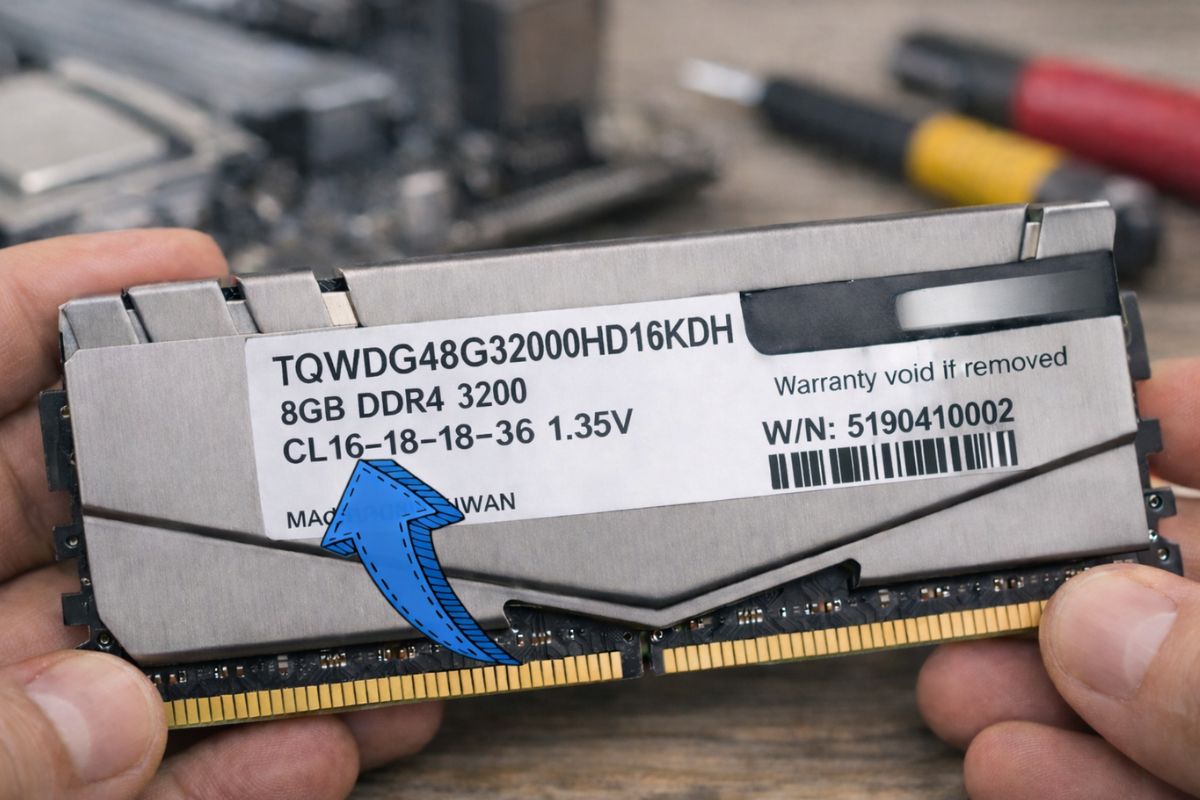
The culprit? Those four little numbers on the side of the stick that everyone ignores. We’re talkng about RAM timings explained in a way that actually matters to your wallet and your sanity. If you’ve ever wondered why a “slower” computer sometimes feels snappier than a top-spec rig, you’re about to meet the ghosts in the machine.
RAM Timings Explained: Why Getting It Wrong In 2026 Costs You
Before we dive into the meat of the matter, let’s talk about the elephant in the room. The tech world is a bit mad right now, as of 5th February 2026. Data centres today are hoovering up approximately 70% of all high-end memory chips to feed the AI bonanza, with we mere mortals left to squabble over what’s left. Prices for a standard DDR5 kit have tripled in the past six months alone.
When you’re paying these kinds of prices, you can’t afford to buy the wrong thing. I’ve seen people buy “ultra-fast” 8000MHz RAM only to find their CPU can’t even handle it, leading to constant crashes. In 2026, the smart money isn’t on the biggest number on the box; it’s on the tightest timings.
The “Warehouse” Analogy: MHz Vs. Timings
Imagine your RAM as a huge Amazon warehouse.
- The Clock Speed (MHz/MTs) is the speed at which the conveyor belt moves.
- The Timings are workers’ reaction times who are picking up the boxes.
If you have a lightning-fast conveyor belt but the workers are taking a tea break every time a request comes in, the belt runs empty. That’s high latency. On the flip side, you could have a slightly slower belt, but if the workers are focused and fast, the data flows perfectly.
When we look at RAM memory timing, we’re looking at these “wait times”. They are measured in clock cycles. The lower the number, the faster the “worker” reacts.
The Big Four: Decoding The Numbers (CL-tRCD-tRP-tRAS)
When you look at a RAM stick, you’ll see something like 30-36-36-76. These aren’t just random digits; they are the rhythmic heartbeat of your system.
1. CAS Latency (CL) – The Big Boss
CAS Latency is the one everyone talks about. It’s the time between your CPU saying “I need this file” and the RAM saying, “Right, here it is.” In 2026, for a DDR5-6000 kit, CL30 is the gold standard. If you see a kit with CL40, it’s going to feel noticeably “lazier” in daily tasks, even if the MHz is higher.
2. tRCD – Finding The Aisle
RAM is laid out like a grid. This timing is the delay between finding the right “row” and the right “column.” It’s like the worker walking from the warehouse entrance to the specific aisle where your data is kept.
3. tRP – Closing The Book
Once the data is grabbed, the RAM needs to “precharge” or reset that row before it can open a new one. This is the tRP. If this is too slow, your PC gets “stuck” for a microsecond between tasks.
4. tRAS – The Safety Valve
This is the minimum time a row has to stay open to make sure the data doesn’t get corrupted. It’s usually a much larger number, like 76 or 96. If you set this too low, your PC won’t just stutter—it’ll crash.
The Secret Truth: DDR5 “Higher” Numbers Aren’t Always Slower
Here’s where it gets a bit “brain-bending.” You might remember your old DDR4 RAM having a CAS Latency of 16. Now, you see DDR5 with a CL of 30. You’d think, “Blimey, that’s twice as slow!”
But it’s not. As DDR5 operates at significantly higher speeds, one “clock cycle” is very short. It’s like a drummer playing twice as fast: no matter if he waits for more “beats” to play the cymbal, he still hits it earlier in real time than a slower drummer.
Expert Insight: The “True Latency” of a 6000MHz CL30 kit is roughly 10 nanoseconds. That’s been the sweet spot for nearly a decade across every generation of RAM.
ALSO READ: Year-Round Productivity Hacks Inspired by New Year Resolutions Planning
Why Should You Care? (The Gaming & Productivity Edge)
Honestly, if you’re just browsing Facebook and writing emails, you won’t notice if your timings are a bit “loose.” But for two specific groups, this is everything:
- Gamers: Have you ever experienced “micro-stutter”? You know that irritating jerk when you turn a corner in Cyberpunk 2077? That’s usually just your RAM timings not keeping up with the GPU. Lowering your timings can dramatically improve your 1% low FPS, making the game feel buttery smooth even if the “average” FPS stays the same.
- Creators & AI Users: If you’re rendering video or running local AI models (which everyone seems to be doing in 2026), your RAM is under constant pressure. Inefficient timings lead to heat build-up. And heat is the enemy of performance.
Latest Update: Valve recently delayed the launch of their new “Steam Machine” consoles specifically because of the 2026 memory crisis. They couldn’t secure kits with consistent enough timings at a reasonable price point. If the big players are struggling, you know it’s a serious issue.
How To Check Your Own Timings (Without A Screwdriver)
You don’t need to open your PC case to see what you’ve got.
- Download a tiny, free bit of kit called CPU-Z.
- Go to the “Memory” tab.
- Look at the “CAS# Latency” and the numbers below it.
If your 6000MHz RAM is running at CL40 or higher, you’re leaving performance on the table. You might need to go into your BIOS and enable AMD EXPO or Intel XMP. It’s essentially a “one-click” way to tell your motherboard: “Stop being lazy and use the timings I paid for.”
The Final Word
Look, RAM timings are a rabbit hole. You can spend weeks in forums arguing about “Sub-timings” and “Command Rates,” but for 95% of us, it boils down to this: Lower numbers mean less waiting. In a world where we’re paying through the nose for tech in 2026, don’t let a “lazy” worker in your warehouse slow down your expensive system. Check your timings, turn on your XMP or EXPO profile, and get what you paid for.
And if you’re still confused? Just remember that a Ferrari on a slow road is still just a car in traffic. Your RAM timings are the “green lights” that let your CPU actually go the speed it was meant to.
FAQs
Q1: Can I Mix RAM With Different Timings?
Technically, yes, but your motherboard will default to the slowest (highest) numbers. It’s a relay race and everyone has to wait for the slowest runner. Plus, in 2026, mixing DDR5 brands is a recipe for a headache. Just don’t.
Q2: Is “Overclocking” Timings Dangerous?
Not really, so long as the voltage isn’t messed with. If you tighten them too much, your PC will refuse to boot. You’ll need to reset your BIOS (which often involves popping a small battery on the motherboard), and everything is back to start.
Q3: Why Are RAM Prices So High In The UK Right Now?
It’s the “AI Tax”. UK-based retailers are facing huge mark-ups as suppliers give preference to enterprise-grade chips for data centres in London. To prevent hoarding, some shops are even restricting purchases to two sticks per customer.
Q4: What Is The “Golden Ratio” For DDR5 In 2026?
For most people, 6000MHz at CL30 is the perfect balance of price, stability, and speed. Anything faster (like 8000MHz) often requires a very expensive motherboard and a lot of manual “faffing” to keep stable.
Sources & References
- The Register (February 5, 2026): PC Prices Rising as AI Prioritised Over Consumers
- IT Pro Expert ( January 30, 2026): RAM Price Tracker January 2026
- BaCloud Market Update (January 19, 2026): When Will RAM Prices Go Down? January 2026
- Tom’s Hardware (January 18, 2026): Data Centres to Consume 70% of Memory in 2026
- Kingston Technology (October, 2025): CAS Latency and RAM Timings Explained
- Crucial UK (August 26, 2025): What are Memory Timings?
Disclaimer: This article is provided for informational purposes only and is not intended as promotional content. Any products, brands, tools, or websites mentioned are referenced solely for context and reader convenience.
Recommended